



Due to an unusual increase in Critical vulnerabilities found on Windows operating systems, Cyberint’s Research Team has decided to release this bulletin to alert on the potential impact. We suspect that threat actors and updated malware may attempt to exploit these vulnerabilities to further impact potential victims.
This bulletin will be expanded at the end of the month, as part of the Monthly Vulnerability Bulletin.
The reason for this bulletin lies at 2 newly discovered vulnerabilities:
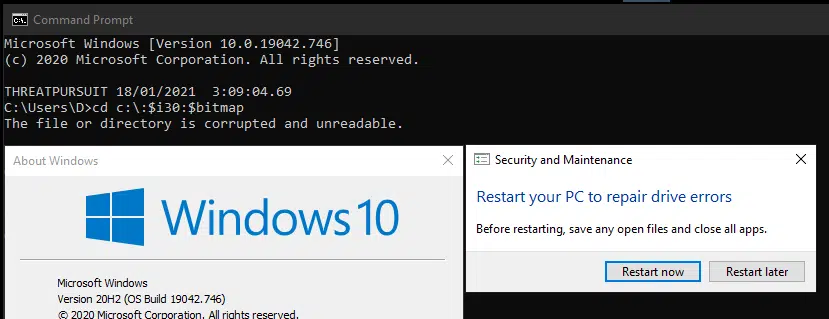
Published by a known vulnerability researcher, jonasLyk, it is possible to cause disk partition corruption by executing a cd command as a low privilege user, to a unique path, which causes the Windows Operating System to alert the user to a corrupted partition and force a restart.
Whilst technical details are scarce, and the exact reason for the issue being unknown at this time, affected Windows builds using the NTFS file system include those from 1803 all the way to 20H2.
According to SANS, the $bitmap is an attribute reserved for files marked as deleted, while $i30 is marked as an NTFS index attribute.
In most of the cases observed, it may not be possible to recover from the initial system restart and the operating system may remain in a ‘boot-loop’.
Concern arises from, and as tested by Cyberint’s Research, the threat of nefarious logic links, such as an icon, HTML link or even an icon archived within a ZIP file could cause the issue and therefore to trigger without user interaction.
Furthermore, some researchers speculate that the issue could impact the MFT (Master File Table) resulting in a complete loss of data although these payloads have not been observed thus far.
Please note that executing the following payloads could trigger this vulnerability and as such are provided as images to minimize any risk.
There are 3 payloads involved, which are similar:
By interactively performing a CD command to the following path:

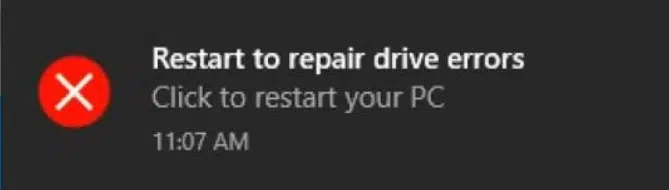
The user will be alerted by the following error, forcing them to restart:
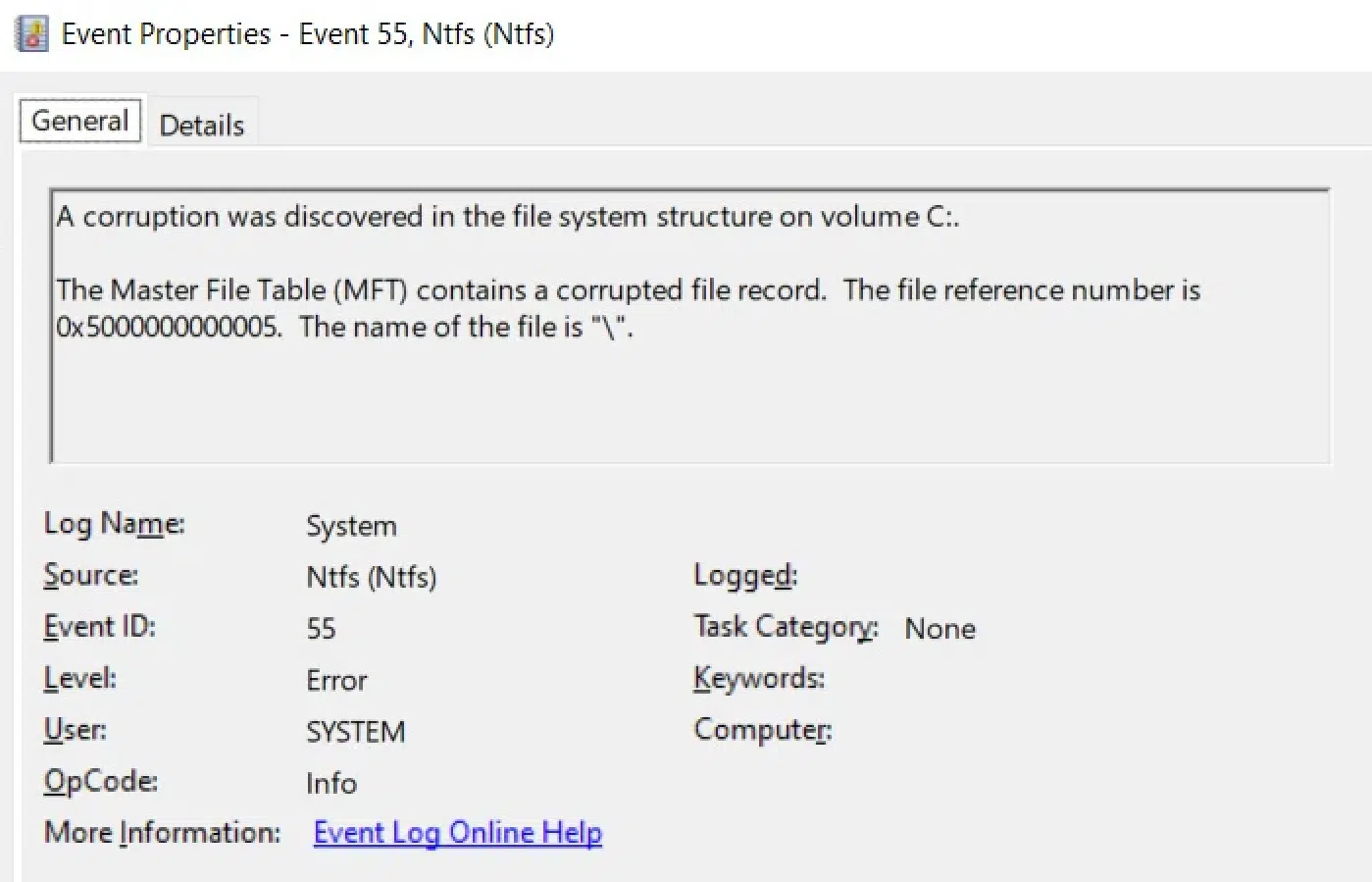
This causes the following error in the event log:
By creating a shortcut file (lnk) and pointing the icon to the path mentioned above, threat actors can deliver a ZIP file containing a malicious payload.
As the archive is extracted, the payload is triggered by an attempt to access the icon file and causes the same NTFS corruption.
It was also observed that pointing the following payload in static HTML files or email messages could cause the corruption issue:

This payload could be potentially delivered and presented on websites or within email messages although no samples have as yet been observed in the wild.
So far, Cyberint’s Research was able to trigger it using static HTML files.
Another potential issue that is being investigated, is related to the Console Multiplexer Driver in Windows.
This driver is used by different applications to communicate directly with the harddrive without going through the file system.
By trying to access the path mentioned, without providing key attributes, the operating system crashes due to improper error checking on behalf of the driver’s function.
The versions affected and validated include Windows builds from 1709 to 20H2.
Please note that executing the following command will trigger the BSOD.
By trying to access the mentioned path, either by file explorer or a file editor, the system will crash within a minute:
\\.\globalroot\device\condrv\kernelconnect
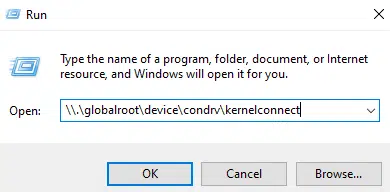
After couple of seconds, this error message appears:
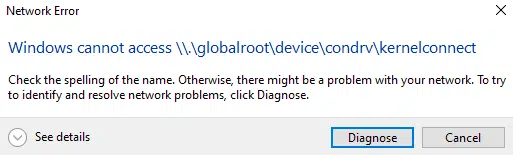
After approximately a minute, this error appears:
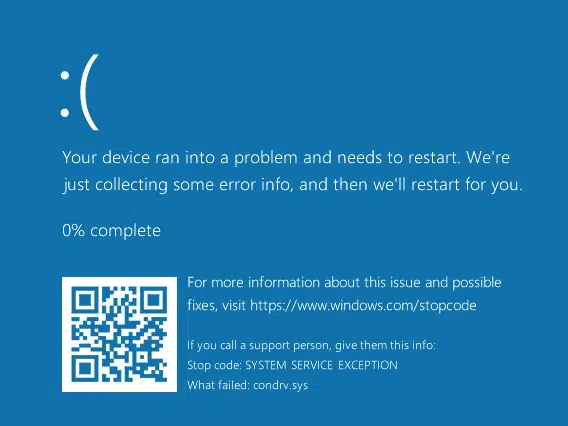
As can be seen from the error message, condrv.sys has caused the issue.
Released in July 2020, this vulnerability refers to the ability of an attacker to bypass Bitlocker and the console Lock Screen, by physically attacking a vulnerable endpoint.
In order to achieve this, the attacker must have a physical access to the machine, therefore remote execution is not possible to achieve.
By combining the usage of Sticky-Keys and allowing the automatic execution of files from external devices, attackers are able to create an administrative account and use it to sign on.
Pressing on SHIFT 5 times will trigger the following window:
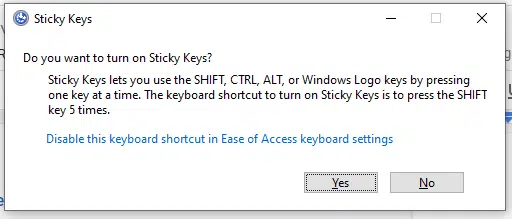
As this window has a clickable ‘blue’ link to the Windows 10 Settings application, the attacker is then able to enable Autoplay of an external device which contains a malicious payload:
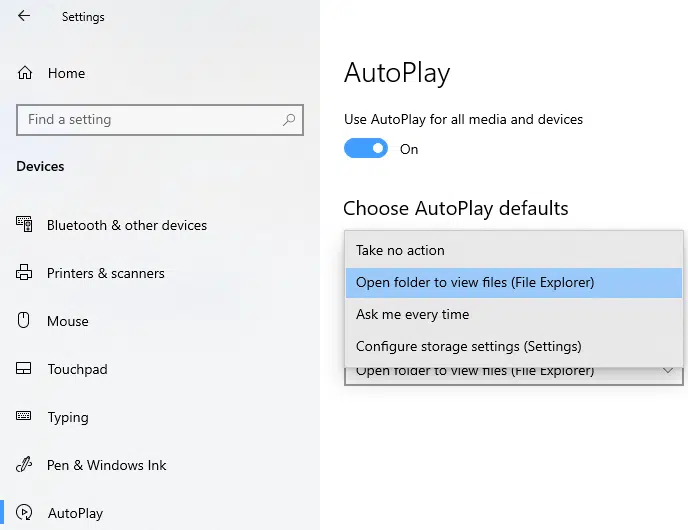
This allows the attacker to open up Explorer, executing the malicious payload from within Bitlocker, creating another folder under NT Authority\System, abusing the permissions provided.
CVSS according to Microsoft is 6.8 / 6.1.
condrv.sys